
Sidebar
additional_functionality:viewing_images
Viewing Images
Opus has two main image viewers. Both can be used to view images, movies, documents and other formats for which a plugin exists.
Viewer pane
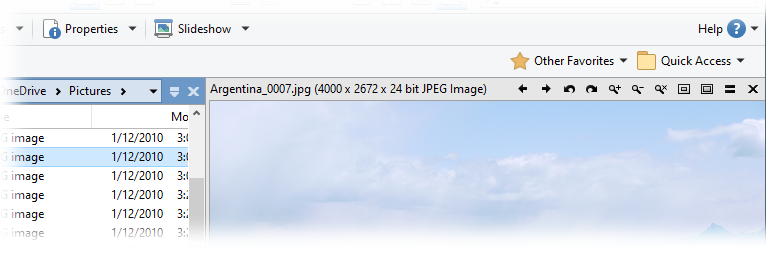
There's the integrated Viewer Pane, which is embedded within a Lister:
Standalone viewer
There's also a standalone (floating) image viewer.
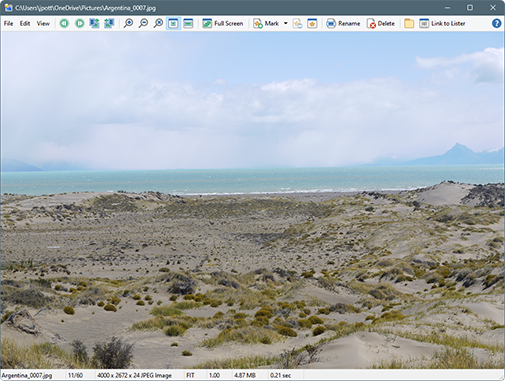
The main difference is the Viewer Pane is tied to a Lister whereas the standalone viewer acts almost like a separate utility. The standalone viewer also has basic image editing functions which the viewer pane does not.
Accessing the standalone viewer
You can access the standalone viewer in several ways:
- If the Use internal picture viewer option on the File Operations / Double-click on Files page in Preferences is turned on, double-clicking on a recognized image file will open it in the standalone viewer.
- The Slideshow button on the default toolbar will launch a slideshow of all images in the current folder, using the standalone viewer. The speed of the slideshow is controlled from the Slideshow page in Preferences.
- The internal Show command will display selected files in the standalone viewer. This command is available on the drop-down menu attached to the Slideshow button.
- From outside of Opus, you can use the d8viewer.exe or dopusrt.exe /show commands to open files with the Opus viewer.
Options for the standalone viewer
There are a number of options that control the appearance and behaviour of the standalone viewer. These can be found in the Viewer category in Preferences. By default, the viewer will:
- Auto-size to fit every picture - as you step through images, the window will resize if needed to display the picture.
- Open centered on the current monitor.
- Display a frame around the picture (as in the above screenshot).
- Show or hide the scrollbars while viewing images.
- Automatically build a list of all other pictures in the folder, when opened via a double-click on an image file (with an additional option for the list to wrap-around when you reach the start or end).
- Automatically rotate images to compensate for the EXIF orientation tag, saved by most digital cameras.
These options can all be changed from Preferences.
Adding additional image formats
You can use external tools to add support for additional image formats to Opus. These can be configured via the External Tools Preferences page.
More:
Viewer Mouse, Keys and Toolbar
Image Marking
External Tools